Tidimail

Stay in Gmail

Use Tidimail to tidy Gmail — you stay in control.

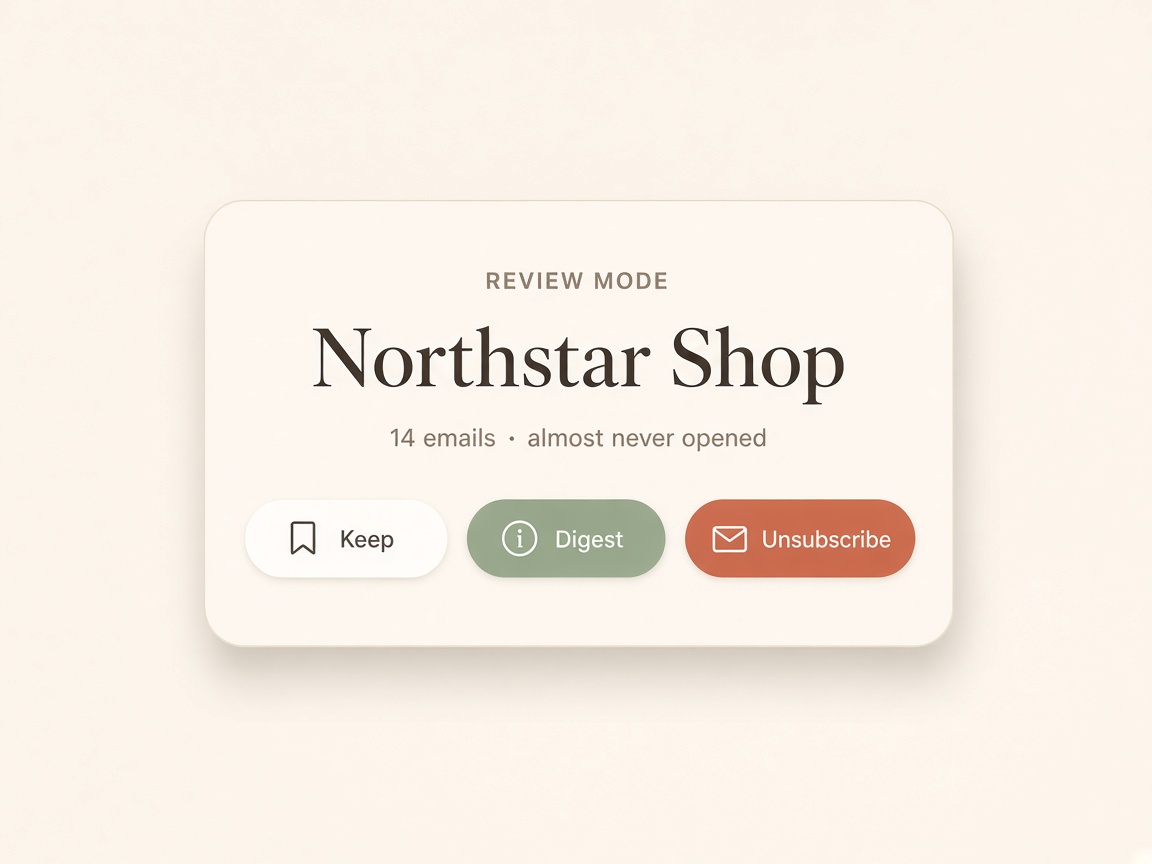
Review first. Then you decide. Tidimail starts in Review Mode. We only look at basic email details like the sender, subject, labels, and unsubscribe information. We don't create a new inbox or change your emails during the review.

Nothing is changed until you choose an action:

  • Keep — Leave the sender's emails in your Gmail inbox.
  • Digest — Move them aside so you can read them later.
  • Unsubscribe — Stop receiving emails from the sender.

You can undo any decision within 24 hours.

After 30 days, emails from Digest and Unsubscribe senders are moved to Gmail Trash, helping keep your inbox clean and freeing up space.

After your first review, Tidimail scans every day on its own. New mail from senders you already chose follows that choice. You only see new senders.

You stay in control.

Sign in with Google

Install Tidimail on this device. It opens like an app. Your mail stays in Gmail.

We request gmail.modify so we can label and archive. We never send email as you except one-click unsubscribe.

Tidimail

Northstar Shop

Unsubscribe

14 emails, almost never opened.

The Margin

Digest

Worth reading. Not worth the inbox.

Jordan Lee

Keep

Looks like a person, not a list.